For Project #2, Will, Steven, and I brainstormed a variety of concepts that were properly balanced between actions that were everyday, yet alternate and different from what we already experience in real life. We considered different stories, settings (both in terms of time and space), and actions (squeezing, catching, grabbing, flicking, etc.) and ended up with this mind map:

The concept: In the end, after a long discussion on concepts that took advantage of VR as a medium, we decided on a concept where the user is a firefighter in a planet where a lot of random fires are part of the natural ecosystem. In an effort to make the ecosystem livable, humans have placed sprinklers around the planet. In our VR game’s scenario, the user finds themselves in between a large wall of fire and a city. Via a radio (that will be recorded and edited audio we create), the user will be instructed to use a fan they are holding to push back the fire in front of him in order to move an asteroid that has fallen on one of the sprinklers, then successfully stopping the fire from spreading into the city.

The experience can be broken down as such:
- User hears audio instructing him to complete his mission
- User fans fire away from the sprinkler
- Fire gets smaller/disappears as user’s fan collides against it
- User walks towards the sprinkler with the asteroid on top
- User uses free hand to push/move the rock away
- User turns on the sprinkler
- Audio congratulates user
For now, we’ve found various fire and particle system assets. We also found an asset that allows fire to propagate from a certain location, which could be useful for us in this case. Here are some samples of potential assets we could use:
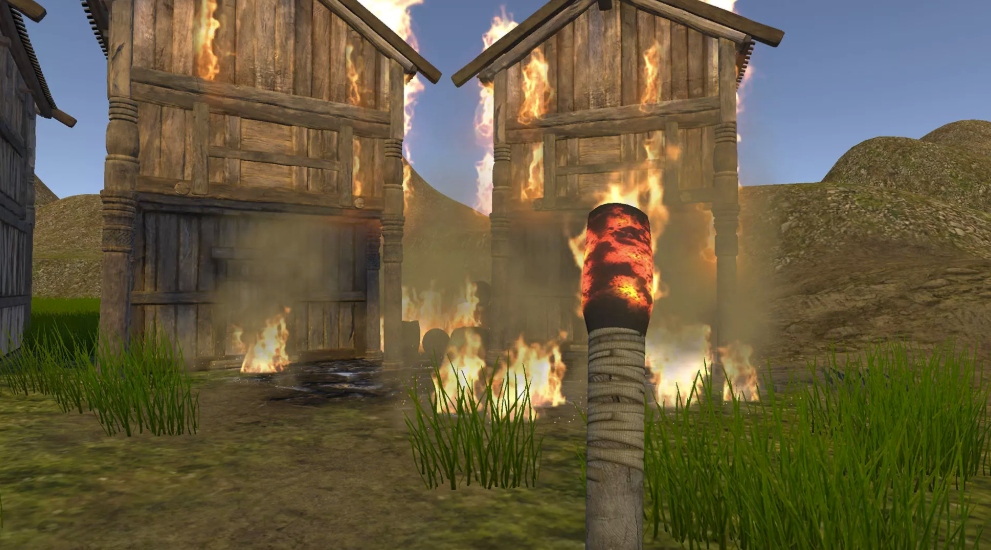
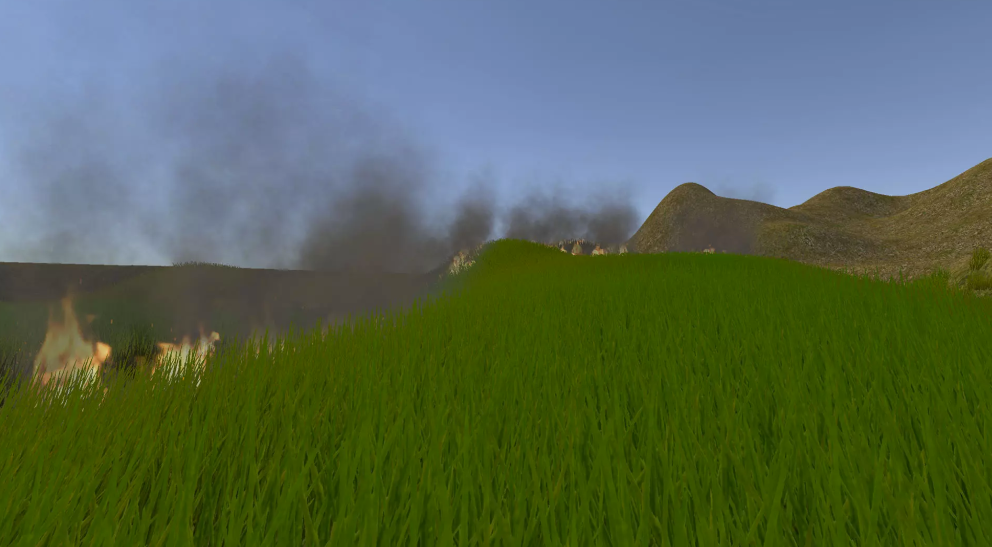


March 11
Up until now, we divided our work as such:
- Steven: work on the character mechanics (showing hands, triggering an animation whenever user clicks), start working on the environment
- Will: figure out collision detection of the fire particle system to detect when it should be put out
- Mari: render a projectile path that allows the user to aim, when user clicks, a water particle system will be shot out following the set projectile path
Two of these aspects: showing a hand animation whenever the user shoots, and rendering the projectile path of the projectile are key in enhancing this non-VR experience. If this project were for the HTC Vive, we wouldn’t have to show any of these, as the controllers would naturally be shown (so no pre-set animation would be required). With a simple motion such as throwing, the user also wouldn’t need a projectile path to estimate where the object would fall. As such, even though these two things might initially seem a bit inconsequential, they are actually key in providing a more enhanced and intuitive experience on the laptop.
For my part, I’ve been able to successfully render the predicted projectile path according to where the mouse is moved, showing an additional radius on the floor of where it will be hit, and also shooting an object on mouse click.
I followed this very useful tutorial that walked me through the whole process, including the scripting of the projectile path. Essentially, I created an empty “Path” object with a script that renders the path. I can fully customize the color, width, initial velocity of this line. I attached it to the Main Character and offset it from the center, simulating how the line will come out of the player’s hand. With a script called “Spawn on Button”, I can also choose what object will be thrown when the user clicks.


March 14
As of right now, the project is almost done – the environment is mostly built, and we have been able to combine all our different parts (listed above) into one. We play-tested with Carlos without giving him any context and it went mostly well – he brought up points on how we could improve the game play and add more urgency to what the user has to do. Some of the stuff he mentioned included trying to have more cohesion between what is being shot and the fire itself, adding a bit more background to the story so the urgency of the mission is communicated, and generally guiding the user more throughout the experience.
Due to the scale of the project, we won’t be able to implement all of the aspects we could potentially add. However, this feedback was still great in helping us make more conscious decisions and on directing us better in what we would like to include in the narration that would be played at the beginning of the experience. One of the changes we did make included the fact that previously we had changed the project to have the user save a tree that was the last of its species. Instead of having to fix any sprinklers, the user just had to put out the fires surrounding the large tree. After playtesting with Carlos, however, we decided to go back to our original concept of trying to extinguish the fires in order to fix the broken sprinkler. To make this more clear, we decided to find a more obvious and flashy sprinkler that would catch the user’s attention at the end. This is the model we ended up using:


Based on this feedback another decision we made was to add an indicator for the users about the location of the turret. In this way, they would not lose sight of the objective as they extinguished the flames:

Some more photos of how the environment currently looks like:


March 15
Today was entirely dedicated to doing the finishing touches on the project. This included:
- Writing, recording, editing, and adding the narration into the project: Since the beginning of this process, we knew that we wanted a narration that would provide necessary context to successfully place the user into this new situation. Since our project was so story-heavy, we wanted to do this part properly, which is why we asked Carlos Páez to be our voice actor. I wrote a script that would properly contextualize players into being in the situation of a person with powers that is given this particular mission. I then added a radio-like filter and white noise to the audio so it would sound as if the person was talking on a radio-like device.
- Adjusting the beginning and ending sequences: This ended up not taking as much time as we thought. We synced up the narrations for both parts. We also added an animation in the ending where as soon as the player enters the cylinder surrounding the turret, the turret becomes animated and starts shooting water. Simultaneously, the voice from the radio congratulates the player on completing the mission.
- Doing final tweaks on the location of the player, the number of flames, etc. These changes we made based on doing two other playtests with people and finding small changes we could do to the project.